Getting online in China.
What stops working, the three ways to get data on day one, and exactly where the SIM counters are when you walk out at Terminal 3.
What's different here
On a Chinese mobile network, Google, WhatsApp, Instagram, YouTube and many other foreign apps don't load. That includes Gmail and Google Maps. It surprises people on the first evening, so decide now which of the three options below you'll use.
The three options, compared
| Local SIM | Travel eSIM | Home roaming | |
|---|---|---|---|
| Best for | Longer stays, or if you want a Chinese number | Most short first trips, if your phone takes an eSIM | Short trips when you'd rather set nothing up |
| Chinese number | Yes | No | No |
| Google, WhatsApp, Maps | Only with a VPN | Usually work, if the provider routes your data outside mainland China. Check before buying. | Usually work; test on day one |
| Set up | At the Exit B counter, a few minutes with your passport | Before you fly, or at the Trip.com counter at Terminal 3 | Before you fly, with your carrier |
| Cost | ¥100 to ¥300 for 7 to 30 days | Varies by provider and data allowance | Usually the highest; check the daily pass |
My suggestion. Short first trip and your phone takes an eSIM: get a travel eSIM before you fly and keep your home SIM in for bank codes. Longer stay, or you'd like a Chinese number: get a local SIM at the airport and bring a VPN you've already tested. Either way, the free airport Wi-Fi gets you online in the first ten minutes.
Option 1: a local SIM at the airport
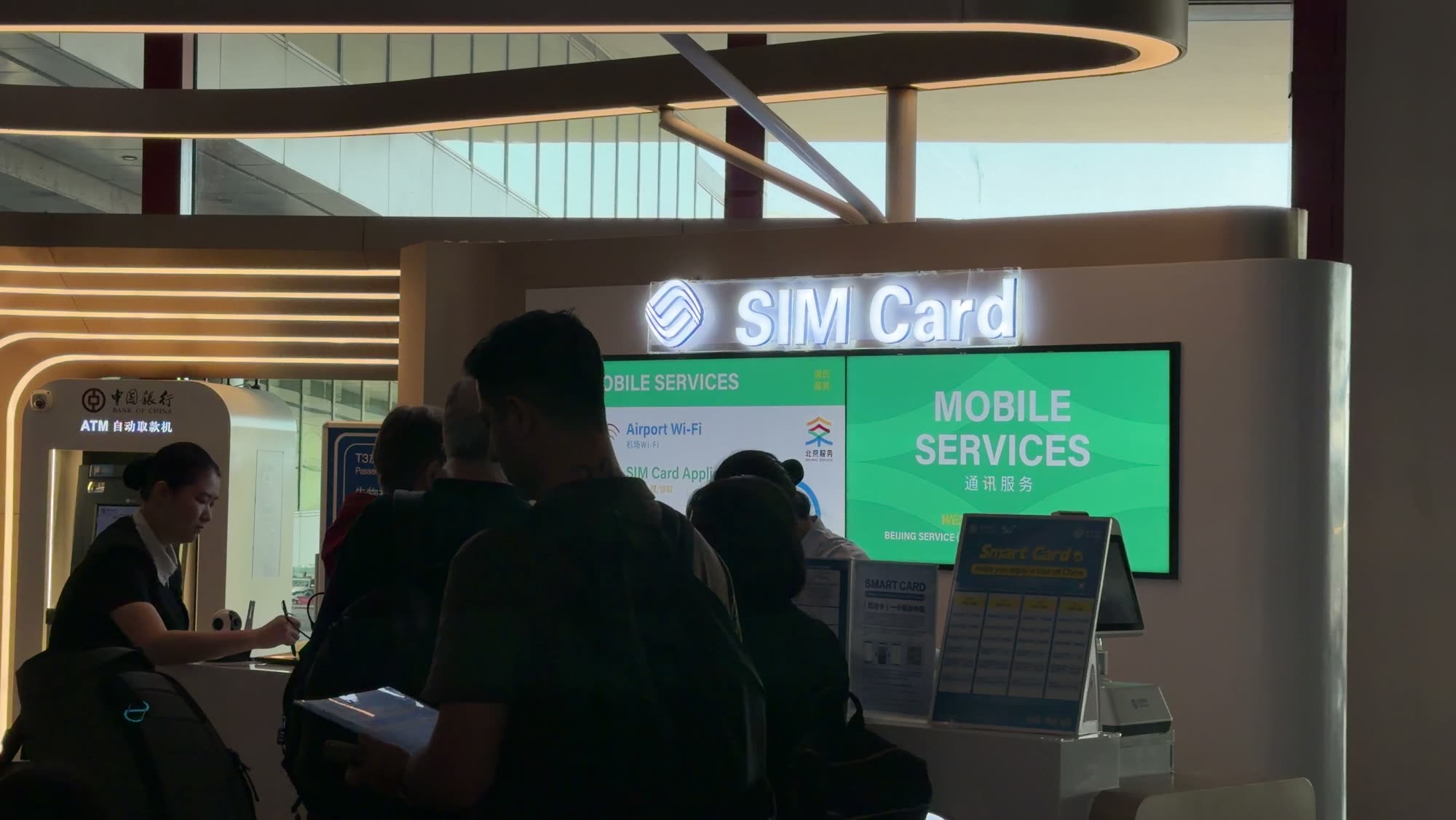
At Capital Airport Terminal 3, every international arrival comes out at Exit B. There are two SIM counters right there. China Unicom, the red one, is just to the right of the exit. China Mobile, the blue one, is across from the exit. They're the two biggest carriers in China, and the cards are much the same: a physical SIM with a Chinese number, calls, data and texts. The difference is the plans.
| Counter | Plans | Price range | Where |
|---|---|---|---|
| China Unicom (red) | 7, 10, 15 or 30 days | ¥150 to ¥300 | Right of Exit B |
| China Mobile (blue) | 7, 10, 15 or 30 days | ¥100 to ¥250 | Across from Exit B |
Prices photographed at the counters on 1 September 2026. Plan details differ slightly; pick whichever fits your dates.
Signing up takes a few minutes: tell them the plan you want and show your passport for the identity check.
- These are short-term cards. They cancel themselves when the plan ends, so match the plan to how long you're actually staying.
- No Google, no WhatsApp, without a VPN. Download and test a VPN before you come. Once you're on a Chinese network it is much harder to set one up.
- Verification texts can take 30 to 60 minutes to start arriving on a brand-new SIM. If a sign-up code doesn't come through, wait and try again.
Option 2: a travel eSIM
If your phone supports eSIM and you're staying a short time, a travel eSIM is the least effort: buy it before you fly, it activates when you land, and you keep your home SIM in the phone for bank texts. Prices vary by provider and data allowance, so compare before you buy. One option is the mainland China eSIM on Trip.com ↗, whose listing says Google Maps and ChatGPT work on it. There is also a Trip.com counter at Terminal 3 that sells eSIMs if you'd rather buy one on arrival.
The Trip.com link is an affiliate link: if you book through it, this site earns a small commission at no extra cost to you.
Why keep the home SIM active: your bank, Alipay and WeChat all send codes to the number you registered with. A dual-SIM setup, home number for texts and local or travel data for internet, avoids the most common lockout.
Option 3: roaming from your home carrier
The simplest option, often the most expensive. Many carriers sell a daily pass. It routes your data through your home network, so foreign apps generally work. Check the daily price before you decide; for a two-week trip it adds up.
Airport Wi-Fi at Terminal 3
Open your Wi-Fi settings and look for Airport Free WiFi new. Tap to join and a login page appears. You can log in with a phone number, foreign numbers work, or by scanning your passport. There's also a machine right at Exit B: scan your passport and it prints a username and password. The speed is decent. If you haven't sorted a SIM or eSIM yet, connect to this first so you're at least online.
About VPNs
I don't recommend a specific one. Whatever you choose, install it and test it at home. Two things to know: some services work better in China than others, and a VPN can interfere with payments. If an Alipay or WeChat payment fails, the first fix is to turn the VPN off for a moment and try again. More on that here.
Checked 1 September 2026 at Capital Airport Terminal 3. Counter locations, plans and prices can change.